Product Detail Page · UX Redesign Sourceability / Sourcengine™ · 2021–2022

Sourcengine™
PDP Redesign

Redesigned the Sourcengine Product Detail Page to surface pricing and availability above the fold — driving a 50% increase in add-to-cart rates and significantly more RFQ submissions for parts not in stock.
Role
UX Director & Lead Designer
Platform
Web · Desktop · Responsive
Focus
E-Commerce · Supply Chain
Methods
Research · Surveys · Hi-Fi Design
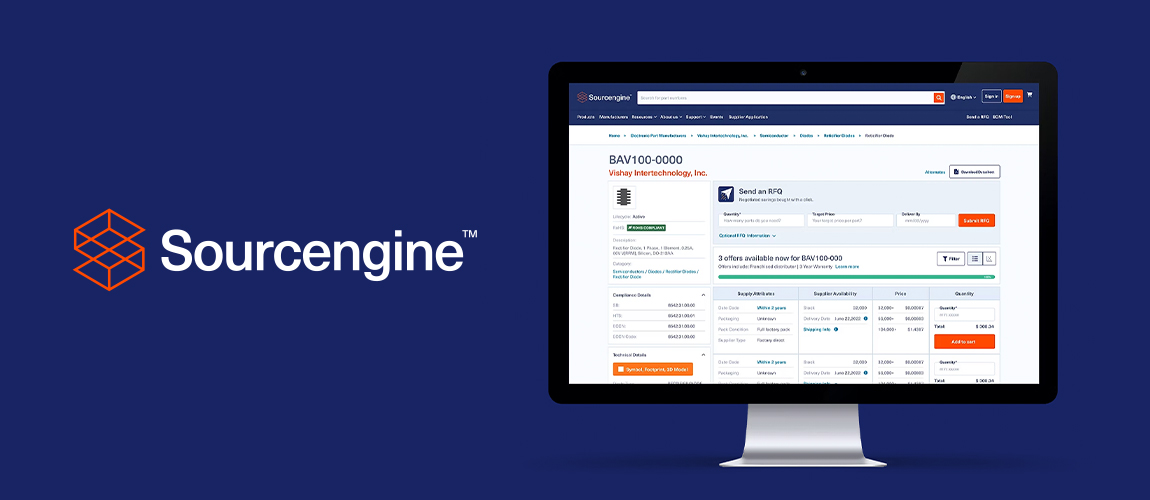
Sourcengine PDP redesign — desktop mockup with logo
+50%
Add-to-Cart Rate
+10%
RFQ Submissions
2.0→
Layout Rating (was 2/5)
WCAG
Accessibility Updated

The information buyers needed most was buried below the fold.

Sourcengine™ is the first e-commerce marketplace built specifically for the electronic components supply chain — serving engineers and purchasing managers who need to find, compare, and buy parts fast. The Product Detail Page (PDP) was the most critical page in the experience, but it was failing users at the most important moment.

Pricing and availability — the two things buyers come for — were buried below lengthy technical details. Users had to scroll before they could even begin to evaluate a part. Survey ratings confirmed the problem: a 2.0/5 for layout, 2.5 for overall experience. The fix wasn't aesthetic — it was structural.

The Business Opportunity

Moving offers higher up the page could directly increase add-to-cart rates. Offering RFQ submission paths when parts are unavailable would convert dead-end page visits into sales leads. More RFQs = more potential sales.

Sourcengine desktop

Two users. The same problem. Too much friction.

User research revealed two core personas driving the majority of PDP traffic — each with their own context but arriving at the same frustration: the page made a time-sensitive workflow unnecessarily slow.

"I found it hard to compare pricing options as well as explore other options if I didn't find what I was looking for."

Michael A.
Electronics Purchasing Manager · Age 42 · Chicago, IL

Responsible for sourcing components for production. Needs to compare prices, lead times, and availability from multiple suppliers quickly — and make informed decisions based on supplier reputation.

Pain Points
Hard to compare prices across suppliers
Must scroll to see availability
Supply chain risk with no fallback
Page Rating
Layout: 2/5
Content: 4/5
Navigation: 2/5

"Page was hard to navigate and was too time consuming to find what I needed."

Alex H.
Electronics Engineer · Age 36 · Los Angeles, CA

Designing electronic systems and selecting components that meet technical specifications, budget constraints, and availability requirements. Under pressure to meet project deadlines without selecting incompatible parts.

Pain Points
Technical data hard to access
Datasheets not readily visible
Incompatible parts risk
Page Rating
Layout: 2/5
Content: 3.5/5
Navigation: 1/5

Five patterns that demanded a structural redesign.

01
Page is hard to navigate

Part info and technical details were scattered throughout the page instead of grouped logically — forcing users to hunt for related information.

02
Price isn't clear enough

Price options were hard to understand without doing manual calculations. Users couldn't quickly determine total cost for a specific quantity.

03
Dead end when unavailable

When a part had no stock, users had zero options — no RFQ path, no alternatives surfaced, no way to get notified. They simply left the page.

04
Alternates need more info

Users weren't aware the alternates shown to them had available stock and offers. The section lacked availability data, price per part, and clear CTAs.

05
Time consuming experience

Comparing prices and seeing pricing by quantity required excessive scrolling. Technical details scattered across the page made the whole flow slow.

Survey
Overall scores confirmed it

2.0/5 layout · 2.5/5 overall experience · 4.0/5 content · 3.0/5 "would visit again" — content was valued, but the structure was breaking the experience.


Three goals. Three measurable outcomes.

Move Offers Above the Fold

Surface pricing and availability immediately — without requiring users to scroll before they can evaluate a part and take action.

$
Improve the Price Section

Redesign how pricing is displayed so users can see total price based on the specific quantity they need — without manual calculation.

Options When Unavailable

Give users a clear path forward when a part has no stock — RFQ submission, alternates with offers, and availability notifications.

+20%
Add-to-Cart Target

Minimum target increase in ATC rates

+10%
RFQ Submissions Target

Increase in quote submissions from no-stock pages

Customer Satisfaction

Improve survey scores across layout, nav, and overall experience


Three principles that drove every decision.

Simplified Layout

Simplify the layout as much as possible while keeping related elements grouped together. Product description, compliance details, and technical details all together on the left — offers on the right.

Prominent CTAs

Clear, unambiguous calls to action so users always know exactly what their options are. Add to cart, Submit RFQ, Notify Me, View Pricing — no guessing required.

Enhanced Features

Enhance the areas customers interact with most — the price table, alternates section, and the no-offers state — to save time and fit their real workflows.


From scattered to structured — offers front and center.

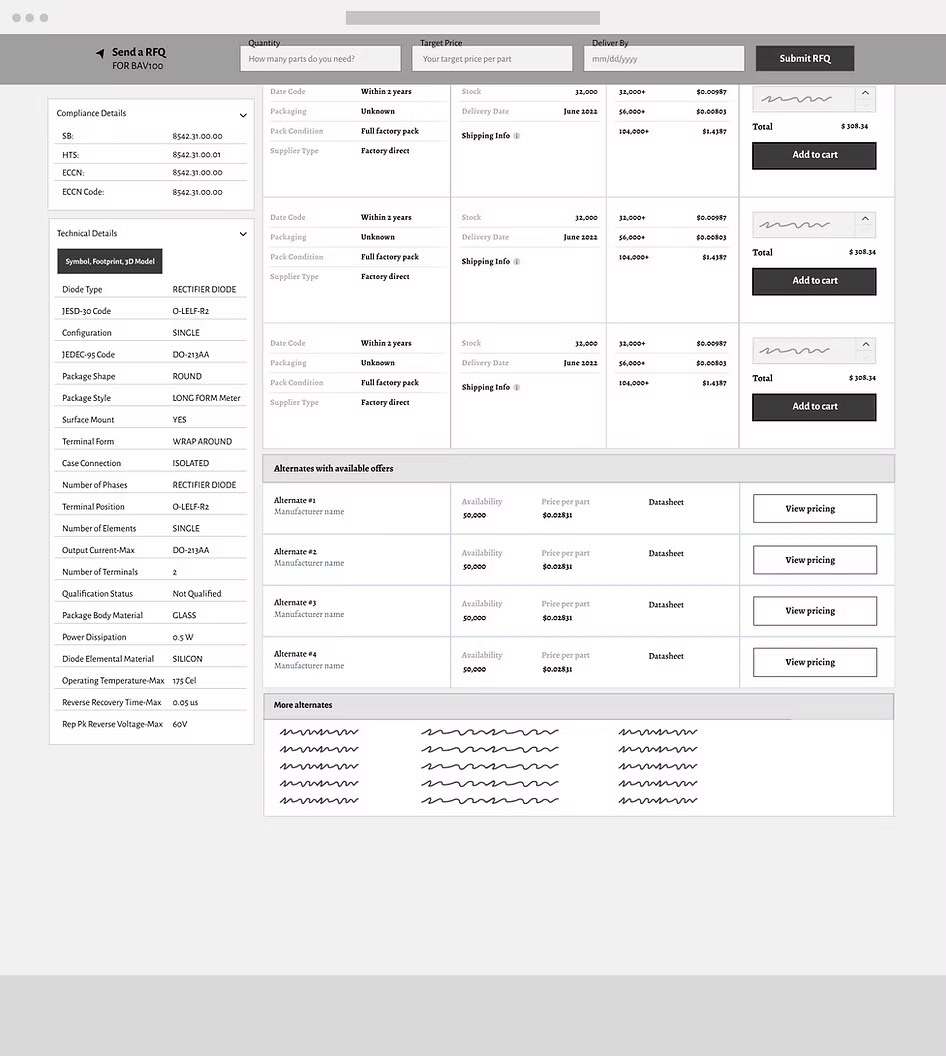
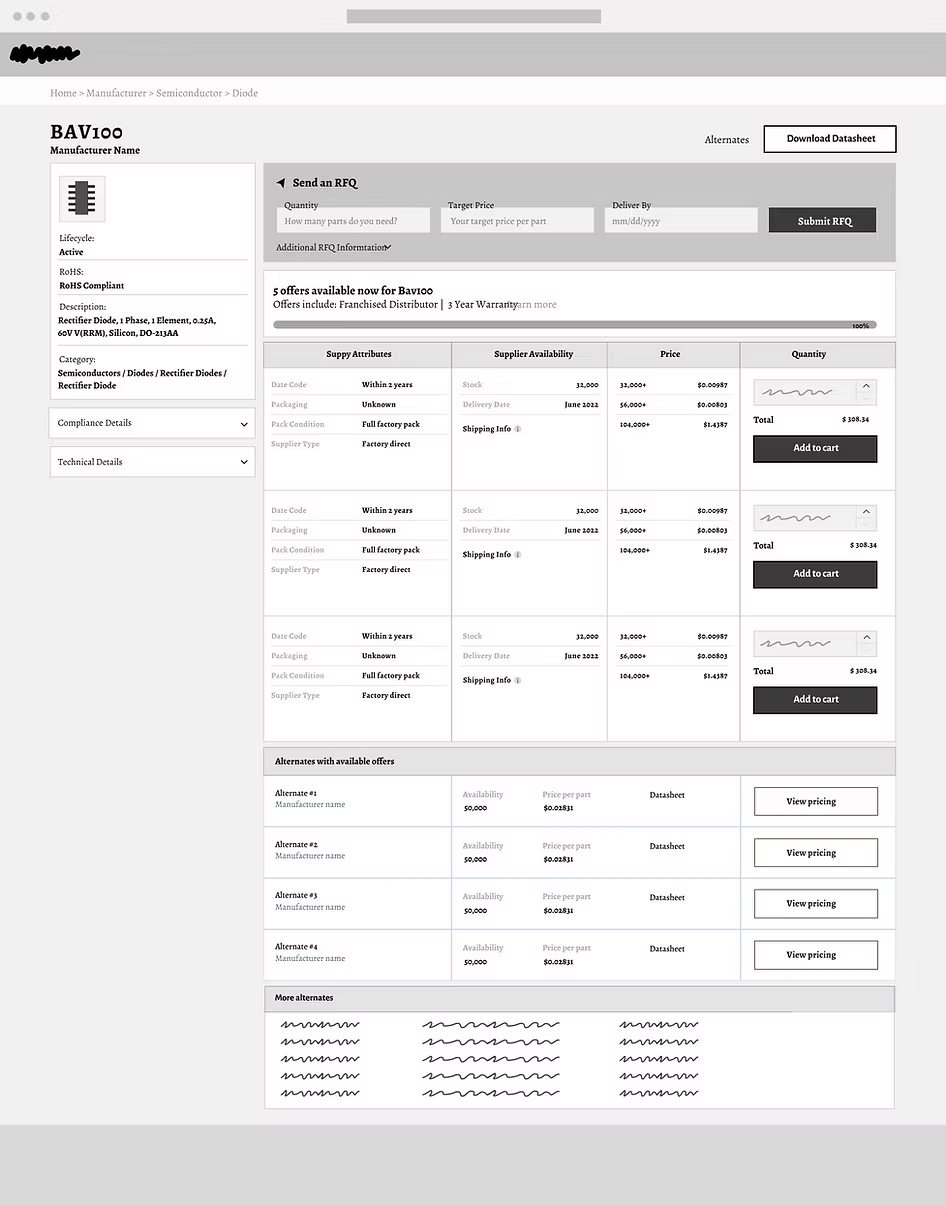
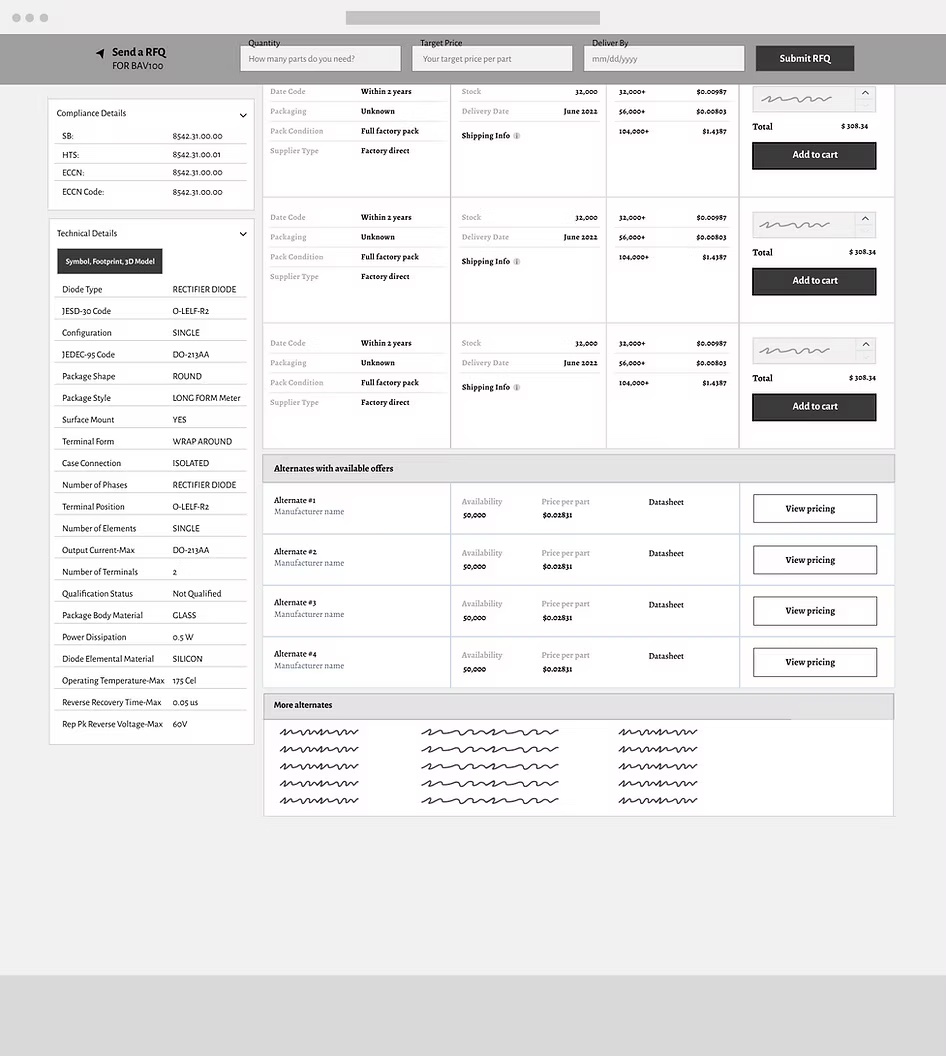
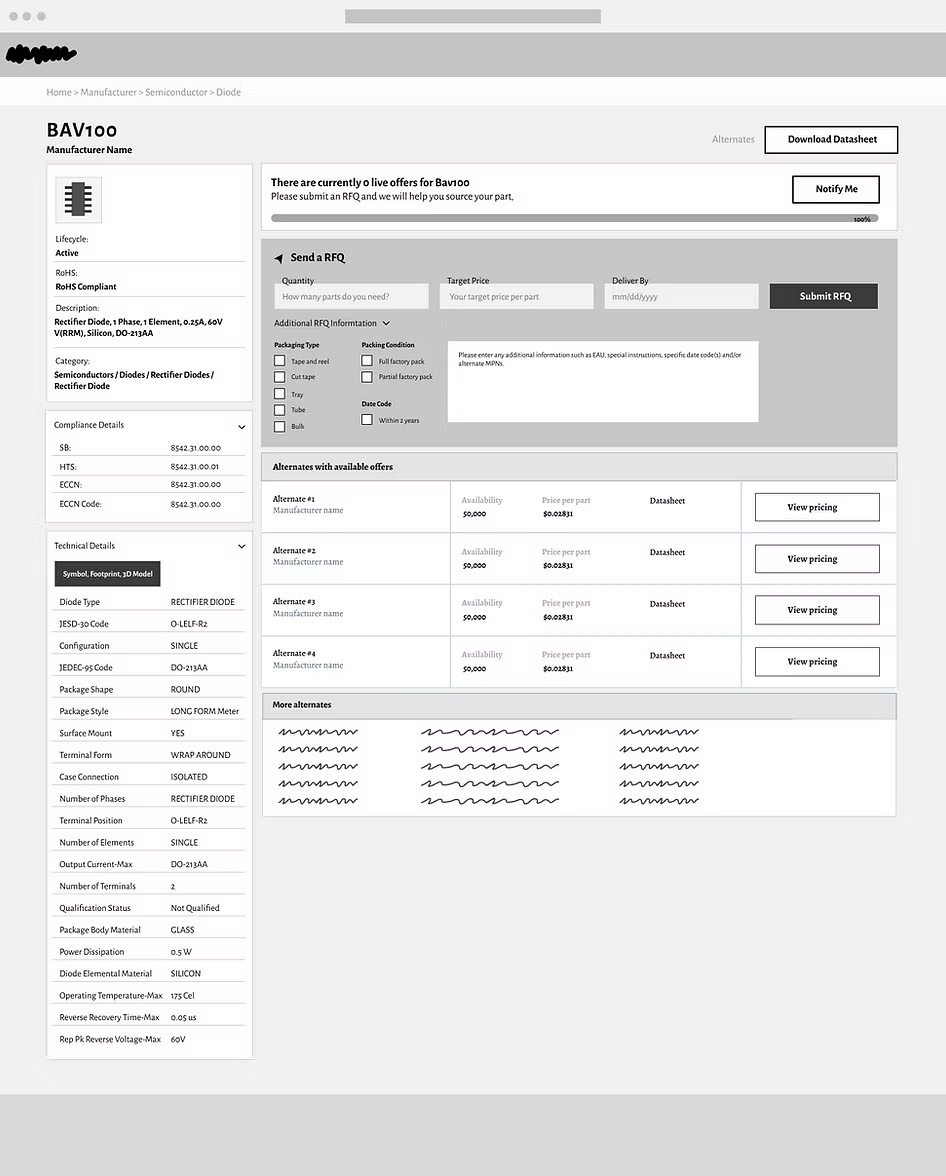
The wireframe phase defined the new structural hierarchy: part details consolidated on the left, RFQ form and offers surfaced immediately on the right — no scrolling required to see pricing.

PDP wireframe — collapsed details PDP collapsed details hi-fi
Wireframe vs hi-fi — product info consolidated left, offers surfaced right

Every state. Every user scenario. Designed for.

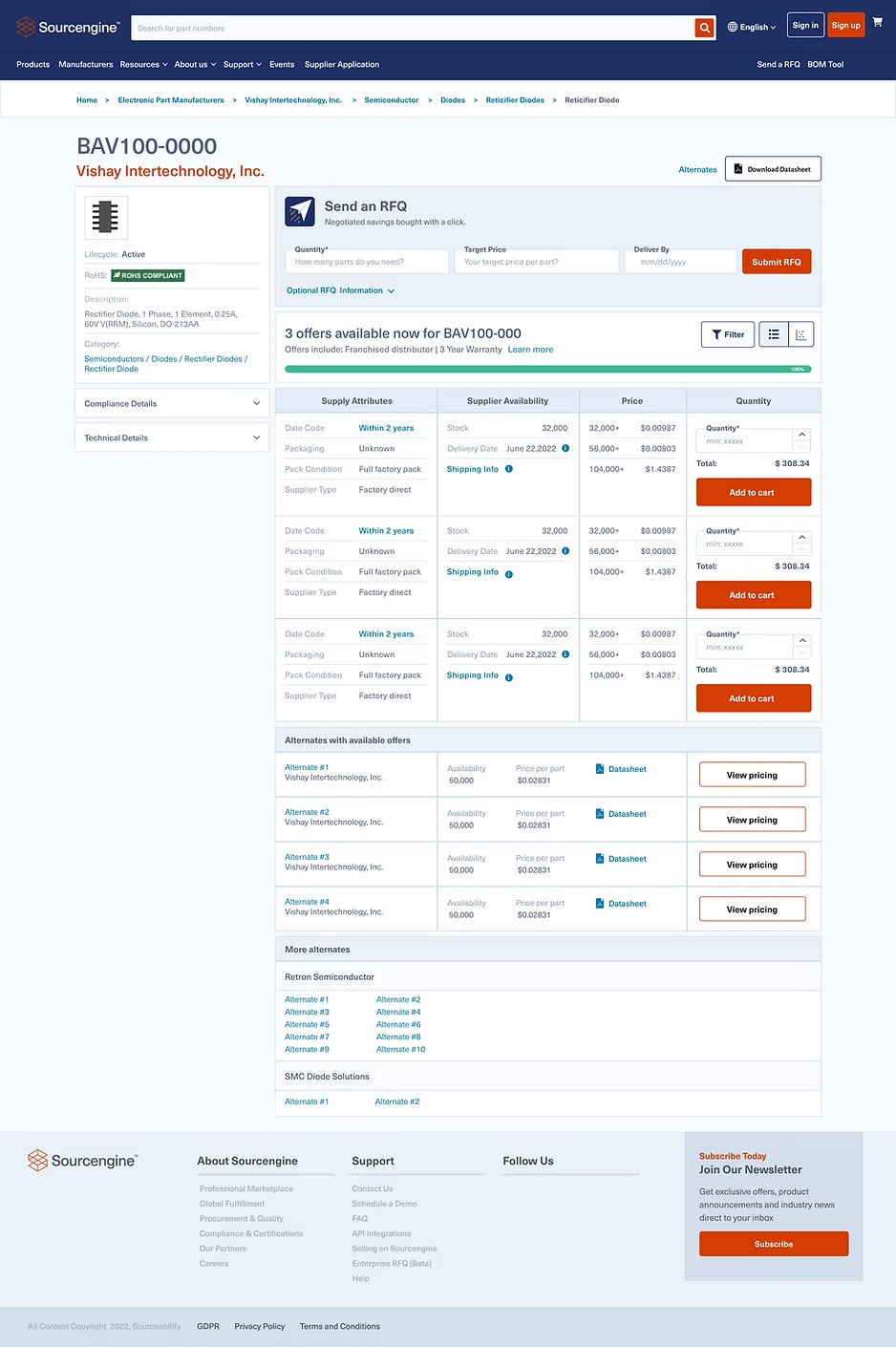
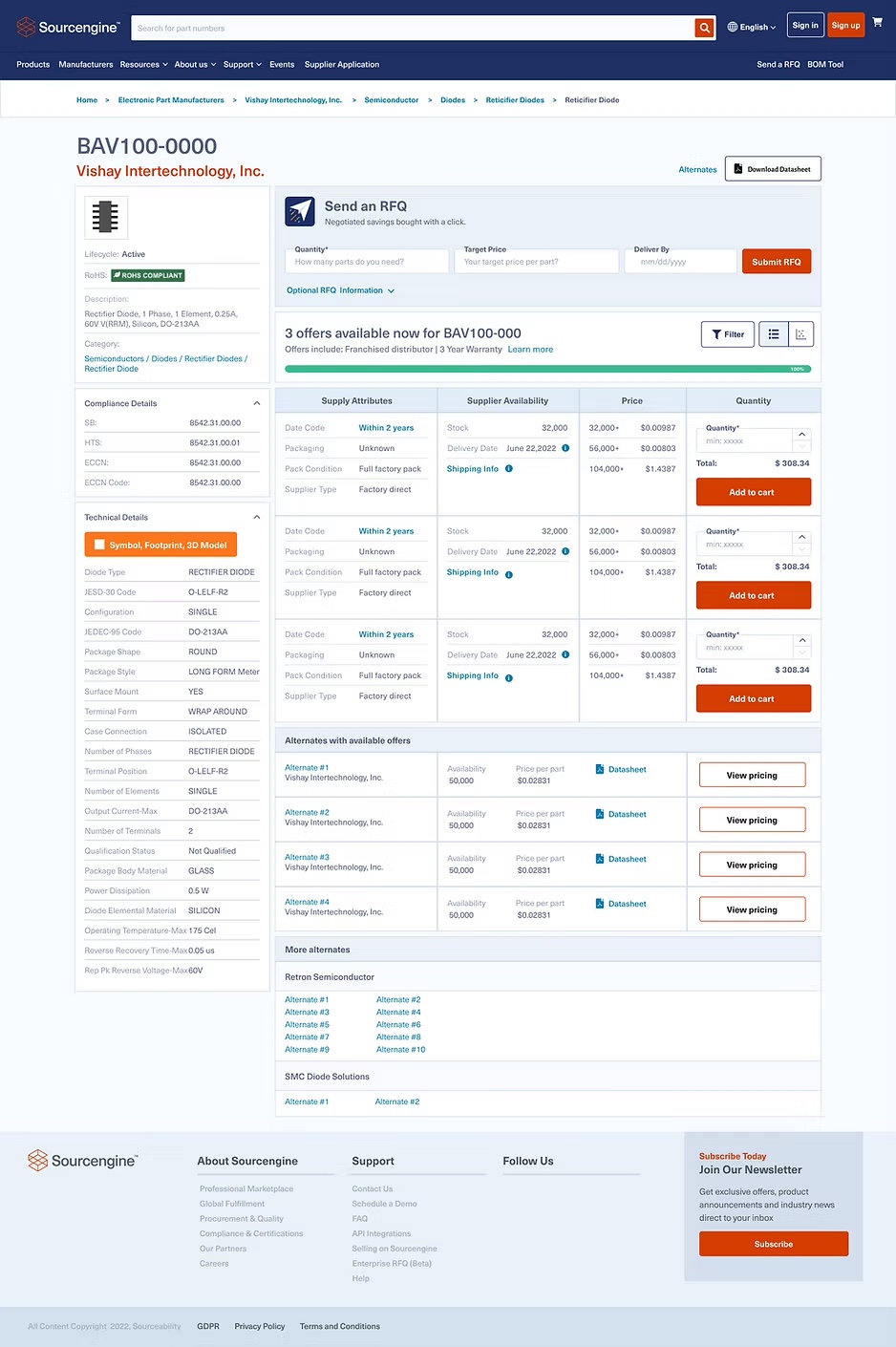
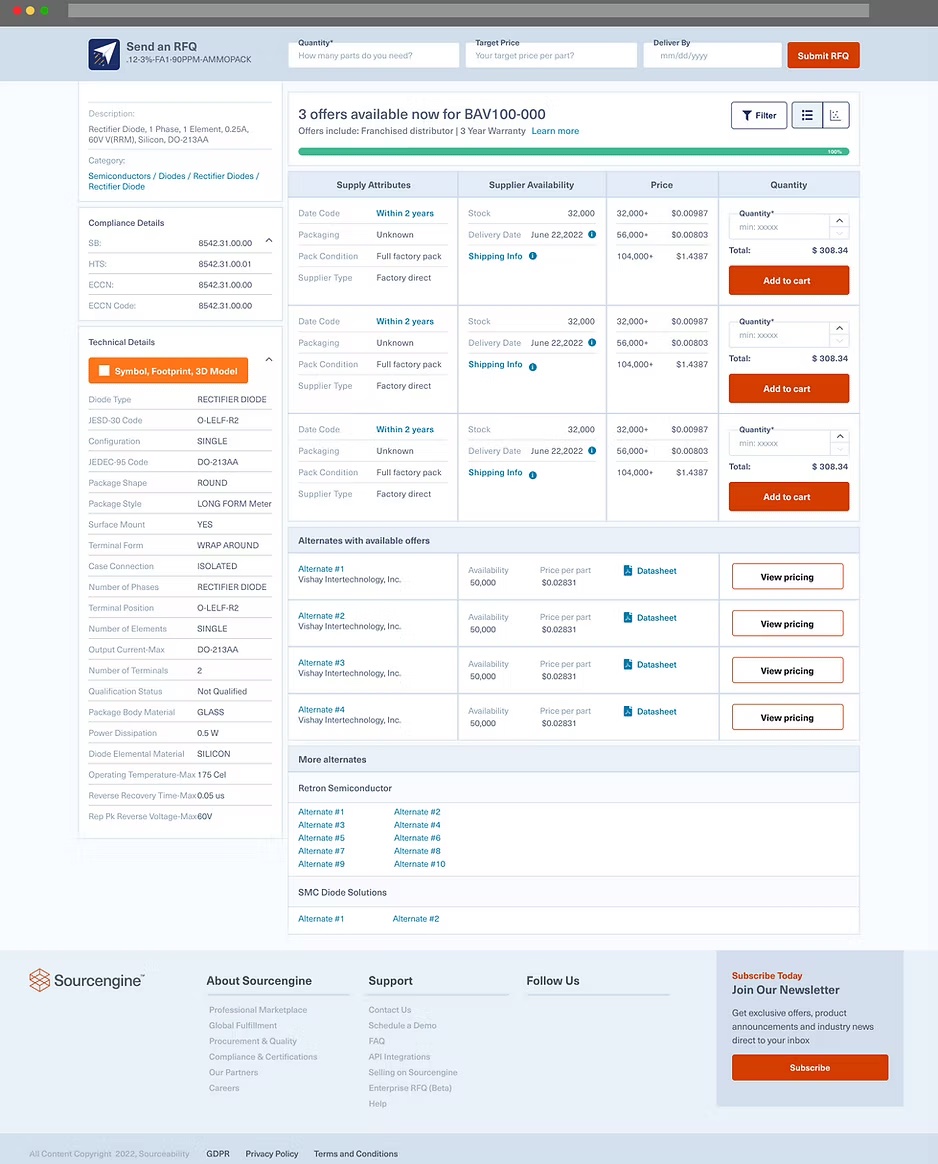
Default state with offers: All three key improvements visible — condensed 2-column price table, offers above the fold, alternates section with availability and price per part surfaced before clicking through.

PDP desktop — default state with offers PDP desktop — expanded technical details
Default state (left) · Expanded compliance + technical details (right)

Scrolling behavior: The RFQ form sticks as users scroll through the offers table — critical for long parts lists where the form would otherwise scroll off screen mid-comparison.

RFQ sticky when scrolling Desktop scrolling state
Sticky RFQ header when scrolling (left) · Desktop scroll state (right)

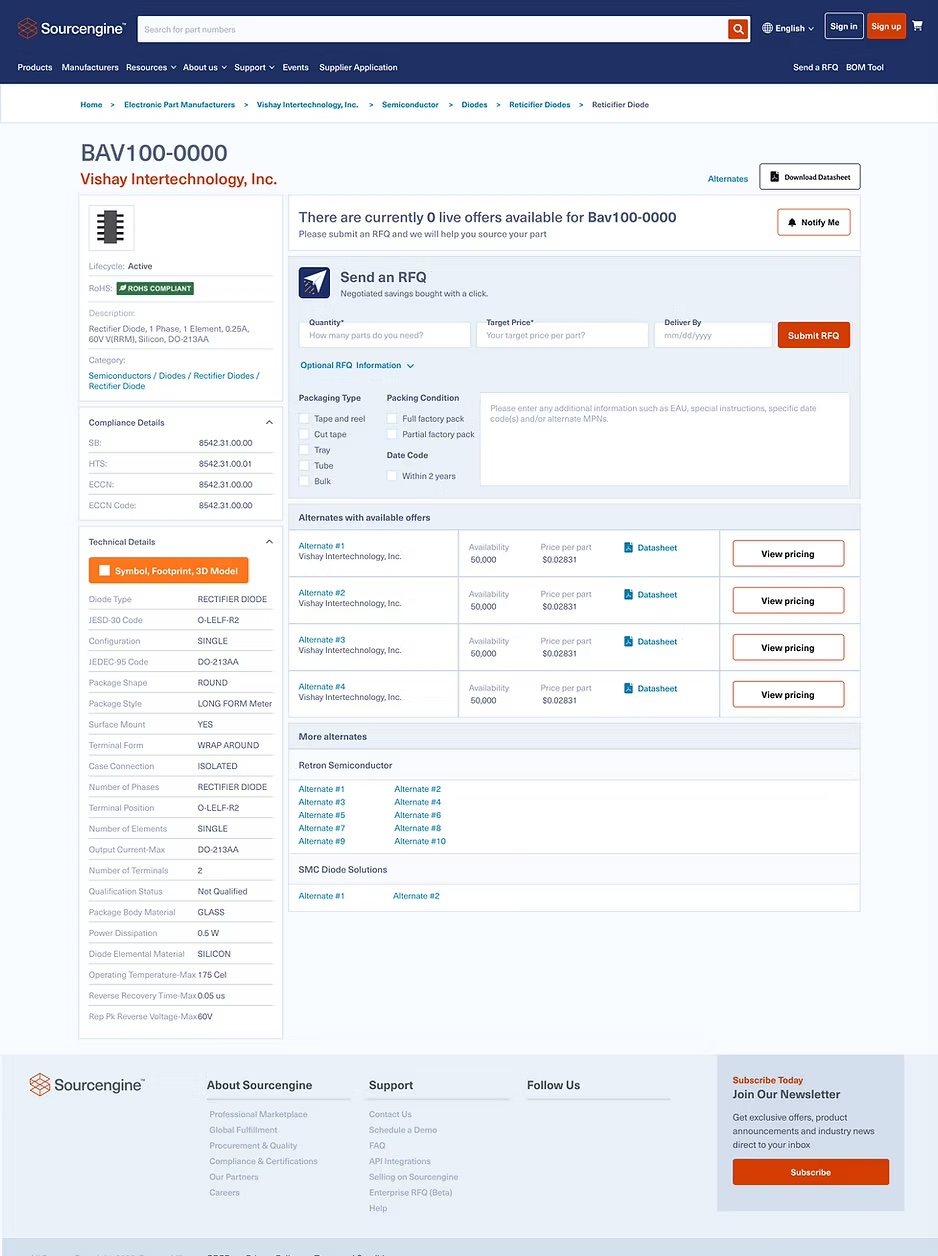
No offers state — the most important fix: Previously a dead end. Now a clear path forward: a banner communicating we'll help source the part, RFQ form front and center, and alternates with available offers directly below. No more abandoned pages.

No offers state — desktop When no offers available
No-stock state — RFQ submission + alternates with offers presented immediately

Exceeded every target metric.

The structural change — moving offers above the fold and building a clear path for no-stock scenarios — delivered results that exceeded the targets set before a single pixel was designed.

+50%
Add-to-Cart Rate

Significantly exceeded the 20% minimum target. Moving offers above the fold had immediate and direct impact on purchase intent.

+10%
RFQ Submissions

Met the RFQ target — converting previously dead-end no-stock page visits into active sales leads for the Sourcengine sales team.

Customer Satisfaction

Improved across all survey dimensions — particularly layout (from 2.0) and overall experience (from 2.5), validating the structural approach over aesthetic redesign.

← Previous
Datalynq Platform
B2B SaaS · 0→1 product